What to send after a sales meeting: a founder's follow-up checklist
A practical post-meeting email, private action log, and checklist for founders: capture what was agreed, assign an owner and date, and follow through without inventing commitments.
Scouty ·
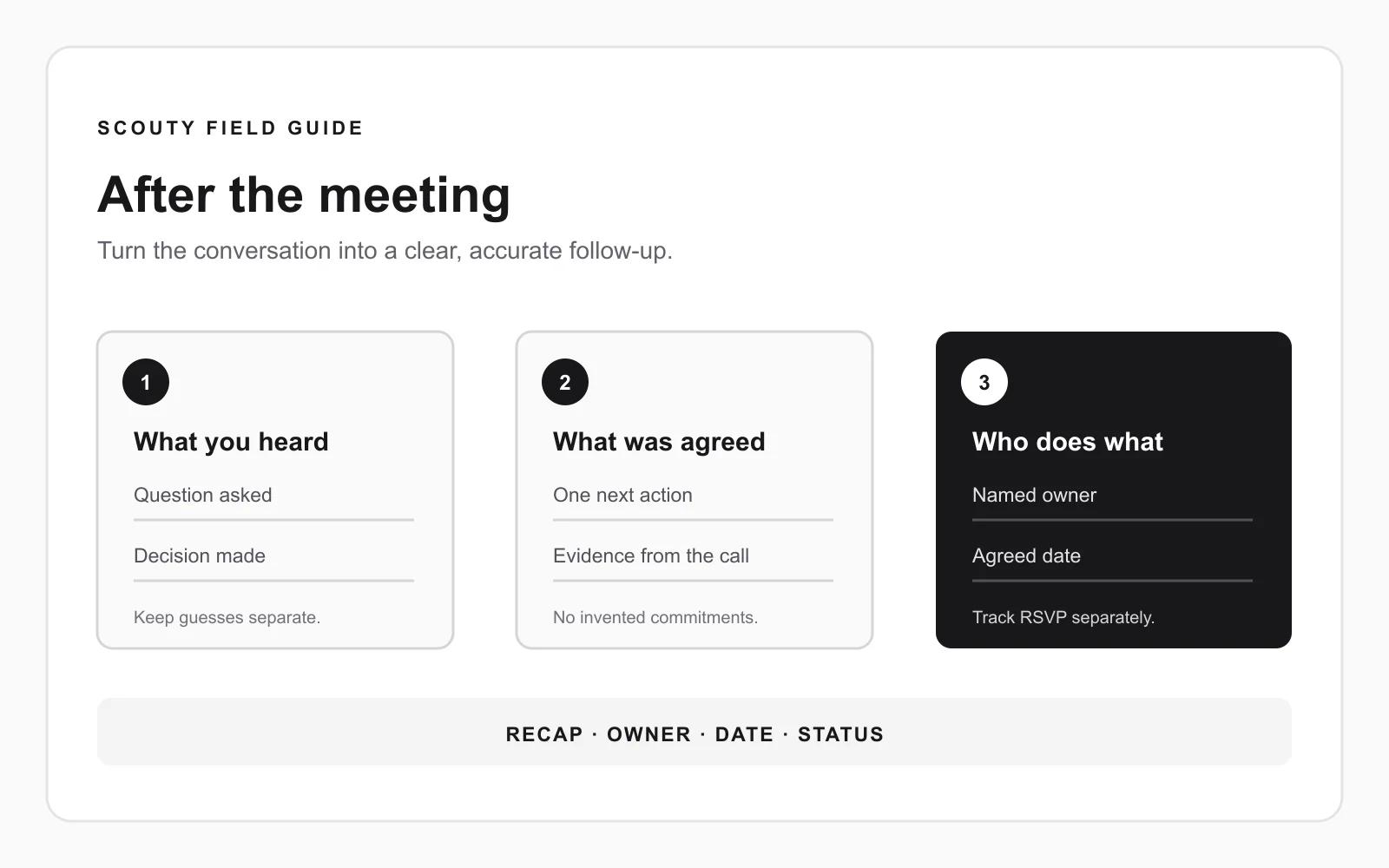
When a first sales meeting ends, write down what the prospect actually said, what each person agreed to do, and when it is due. Then send a short recap that confirms those points. A friendly call is not proof of a purchase, and a vague promise to “follow up” is not a next step.
This guide gives you a private action worksheet, a follow-up email you can adapt, and three fictional examples. Use the words the prospect used. If there was no agreed action, do not invent one to keep the conversation alive.
Capture the facts before you write
Immediately after the call, make private notes while the details are fresh. Record only what you need to carry out the conversation:
- **What they asked for:** a short outline, an answer, a quote, or time with another colleague.
- **What they decided:** the option they chose or the point they confirmed. If nothing was decided, write “no decision yet.”
- **Open questions:** what you could not answer, and who will find out.
- **Agreed actions:** the specific action, its owner, and the date both sides agreed.
- **Meeting status:** if another call was agreed, record the date and time zone, invite, and the guest's response separately.
Keep observations separate from your interpretation. “They asked how the service works with their existing platform” is an observation. “They are ready to buy” is a guess unless they said so. Do not turn a polite response into an opportunity stage, budget, deadline, or buying commitment.
Keep private conversation notes in the systems and accounts that are meant to hold them. Do not paste confidential meeting notes into public pages or third-party tools without a reason and authorization.
Send a recap that is easy to correct
Write a concise note with the topic, the point you heard, and the actions each person accepted. Avoid a long product pitch after the call. If you promised a document or answer, include it or say when it will arrive.
**Subject:** Next steps from [their company] and [your company]
Hi [name],
Thanks for talking through [topic] today. My notes are:
- [Their situation or question, in their words]
- [The point you agreed to explore or decide]
- [Open question, if there is one]
Next steps we agreed:
- I will [specific action] by [date].
- You will [specific action, only if they agreed] by [date].
- [Next meeting date and time zone, if agreed].
Have I captured that correctly? If I missed something, please correct me.
[Your name]
Use the template as a record of an actual conversation, not as a way to assign work the prospect did not accept. If they asked for information but made no other commitment, send the information and leave the next decision with them.
Use a small action log
One row per commitment is enough. A private note or CRM task can use these fields:
Send the one-page outline — evidence: Prospect asked for it on the call — owner: You — due: Friday, 20 Nov — status: Not sent
Confirm whether the operations lead should join — evidence: Prospect said they would check — owner: Prospect — due: Date they gave — status: Waiting
The table is an illustration, not a Scouty result or a prescribed CRM format. Keep the “evidence” field short: a direct request or an explicit agreement is more useful than your impression of the prospect's tone.
If your team uses a CRM, add the action to the correct company or contact and set a reminder for the owner. If you use a spreadsheet, keep access limited and mark completed actions promptly. Do not add every personal detail from the conversation when it does not help with the agreed work.
Three examples: match the email to the agreement
They asked for more information
**What happened:** A prospect asked for a one-page explanation of how your service works with their current process. They did not agree to a second call.
**What to send:** Answer that question and attach or link only the explanation they asked for. Say when you will check back only if they asked you to do that. Do not label the conversation “meeting booked” or write that they committed to a review.
They agreed to another meeting
**What happened:** You both agreed to speak again on a specific date, and you agreed to bring a sample workflow.
**What to send:** Confirm the actual date, time zone, purpose, and the item you will bring. Record the invite and its RSVP separately from the email agreement. Google Calendar lets hosts review guest responses and proposed times; it also notes that RSVP status for guests using other calendars, such as Outlook, may not be available in the guest list. If the response is unclear, check the email thread or ask before describing the invitation as accepted. Google Calendar Help: Track responses to your event
An accepted invitation still records a response to the invite. Track whether the meeting happened separately; do not infer attendance from an RSVP.
The call ended without a next step
**What happened:** You had a useful conversation, but neither person asked for anything or agreed to another action.
**What to send:** A brief thank-you is enough. You can summarize one point you discussed and leave the door open. Do not add a deadline, calendar hold, or follow-up task on their behalf. If they later invite you to reconnect, record the timing they asked for.
Before you send
- Does the recap match what the person said, rather than what you hoped they meant?
- Is every action tied to an actual agreement, with a clear owner and date?
- Have you sent the specific item they asked for, or said when you will send it?
- Is another meeting's date and time zone explicit?
- Have you kept the guest's RSVP separate from attendance and sales qualification?
- Have you left unknowns marked as unknown instead of filling them with assumptions?
- Are the notes private and limited to people who need them?
Common questions
How soon should I send a post-meeting email?
Send it while your notes are still clear and while any promised material is ready. If you need time to verify an answer, say when you will return with it instead of guessing. There is no universal timing rule that makes an email effective for every conversation.
Should I send a deck after every first meeting?
Only if it helps answer a question or supports an action you discussed. A document the prospect did not ask for can make the next step less clear. If they requested a specific example, send that example rather than a general folder of materials.
What if I do not know whether they accepted the calendar invitation?
Check the event's guest list and the email thread. Google Calendar says some RSVP statuses from guests who use another calendar may not be visible there. If the status matters, ask the guest to confirm. Keep the invite status separate from whether the meeting was attended.
What if the prospect does not reply to my recap?
Carry out your own promised action regardless. Do not treat silence as agreement to a new action. If a response is genuinely needed to proceed, ask one clear question and wait; do not start an unrelated cold-email sequence in the same thread. For no-response outreach before a meeting, see our guide to follow-ups that stop when they should.
Where Scouty fits
Scouty helps founders and small B2B teams start with a website, research matching companies and decision makers, review personal outreach before sending, and move interested conversations toward meetings. This checklist covers the human follow-through after a meeting: record what was actually agreed, do your part, and keep the next step clear.
To research companies that may fit your offer, start with your website in Scouty. Explore the research and review email previews before deciding whether to save work or send.
Sources and related reading
- Google Calendar Help, Track responses to your event, checked 17 November 2026.
- Scouty, About Scouty, checked 17 November 2026.
- For the earlier step, read how to handle a prospect reply before booking a meeting and how to prepare for your first B2B prospect meeting.
The companies and exchanges in the worksheet are illustrative, not customers, case studies, performance claims, or measured results.