Catch-all email: what verified, unverified and unavailable labels mean
Why a catch-all email domain makes an address unverified, what verified, unverified and unavailable labels really mean, and a checklist for deciding what to send.
Scouty ·
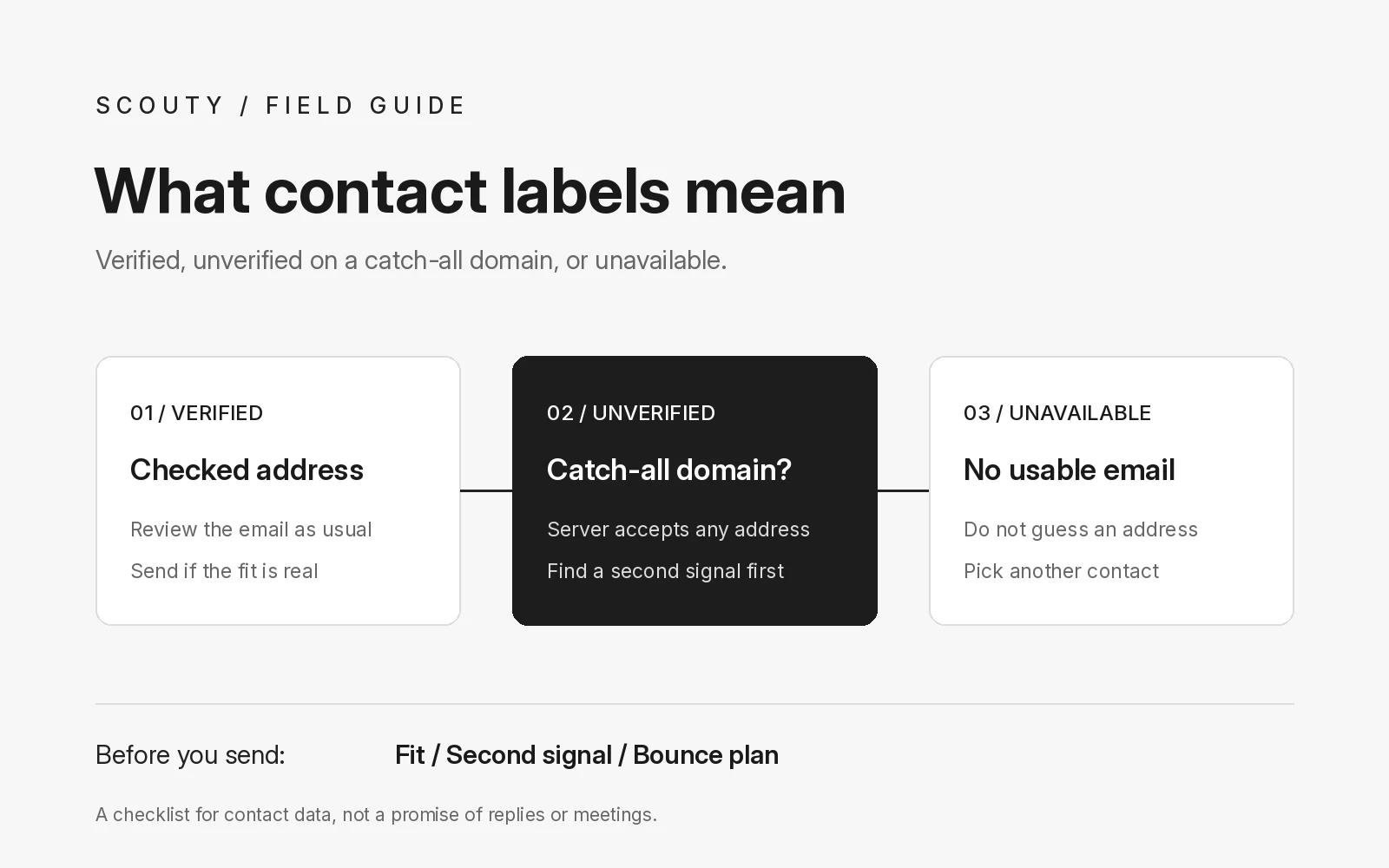
A catch-all email domain accepts mail sent to any address at that domain, real or not. That is why a catch-all email address usually ends up labeled unverified: a check can see that the domain takes mail, but it cannot confirm that the specific person's mailbox exists. Verified means the address was checked, unverified means it could not be confirmed, and unavailable means there is no usable address to send to.
This guide explains what each contact label means, why catch-all domains get their own treatment, and how a founder or small team can decide what to do with each one. The example company below is an illustration, and the decisions are working rules, not measured results.
1. Know what the three labels are telling you
A contact label is a statement about confidence in one email address, not about the person or the company. Read it that way and the decisions get simpler.
- Verified: the address was checked and looks deliverable. It is the strongest starting point, though no check can promise the email will be read.
- Unverified: the address could not be confirmed either way. A catch-all domain is one example, because the server says yes to everything.
- Unavailable: there is no usable address for this person. Do not guess one.
None of these labels says anything about fit. A verified address at a company that does not need what you sell is still a poor email to send. Fit comes first, which we cover in how to build your first B2B prospect list from your website.
2. Understand how a catch-all email domain works
Some companies route every message for their domain into one mailbox, so mail sent to a misspelled or old address still reaches someone. Google documents this for Workspace admins in its guide to getting misaddressed email in a catch-all mailbox: an administrator adds a catch-all address to the routing settings, and messages sent to incorrect or non-existent addresses at the domain land in that mailbox.
From the outside, that setup looks the same for every address. Ask the server about jane@ or about made-up@ and you get the same friendly answer. The mail standard itself allows for this. RFC 5321, the SMTP standard, notes that an address can appear valid but not be verifiable in real time, and section 7.3 says sites may switch off address verification commands for security reasons. A server can also accept a message first and only later find it cannot be delivered, in which case the standard says it must send an undeliverable notice back to the sender.
So a catch-all result is not a warning that the address is wrong. It is an honest "we cannot tell from here".
3. Decide what to do with each label
Write your rule for each label before you look at the list, so you are not tempted to send to everyone in a good mood and no one in a bad one.
- Verified: review the email as usual and send if the person is a real fit.
- Unverified on a catch-all domain: look for a second signal before sending. Does the person appear on the company's own team page? Does the address follow the same pattern as an address the company publishes? If you cannot find one, consider skipping or putting the contact on hold.
- Unverified for another reason: treat it like a catch-all, with one extra check that the domain is the company's current domain.
- Unavailable: do not invent an address from a naming pattern. Reach the person another way, or pick a different decision maker at the same company.
4. Use this worksheet before sending to an unverified address
Copy this checklist and run it for every unverified contact. If two or more answers are no, leave the contact out of this round.
Unverified contact checklist
- Fit: would this person still make sense if the address were verified?
- Second signal: is there public evidence, such as a team page or a published address pattern, that supports this address?
- Current domain: is the domain the one the company uses on its website today?
- One person: is this an individual's address, not a shared inbox like info@ that a catch-all might also route?
- Bounce plan: if it bounces, will you remove it and not try other guesses?
The bounce plan matters. Google's email sender guidelines recommend automatically unsubscribing recipients who have multiple bounced messages. Even for personal outreach, the safe habit is the same: a bounced address leaves your list.
An illustration: Kestrel Studio
Example, fictional company: Kestrel Studio, a two-person design agency, builds a list of ten decision makers at software companies. Six addresses are verified, three are unverified and one is unavailable. The founder sends to the six after reviewing each email. Of the three unverified, one person appears on their company's team page and the address matches a published pattern, so it goes into the round. The other two have no second signal and wait. The unavailable contact is replaced with a colleague at the same company who has a verified address.
5. Keep the labels honest over time
Addresses change as people move roles, and a verified label is a snapshot from when the check ran. Re-check before a new campaign if the list is old, remove any address that bounced, and never move a bounced or unavailable contact back into a sequence by guessing a new address. If you use follow-ups, a bounce should stop them, as described in our guide to cold email follow ups that stop when they should.
Where Scouty fits
Scouty at scouty.to is a B2B prospecting and outreach tool for founders and small teams. You enter your website, and Scouty finds companies and decision makers that fit. According to the Scouty FAQ, each email is labeled verified, unverified (for example a catch-all domain) or unavailable, and people without a usable email cannot be emailed.
Scouty writes one personal email per person, and you review the first email before it is sent, so the label is in front of you when you decide. Scouty does not guarantee replies or meetings. If you are comparing tools, ask how each one labels contacts, using the questions in how to evaluate an AI prospecting tool before connecting your inbox.
Questions about catch-all email addresses
Is a catch-all email address bad?
No. It just means the domain accepts everything, so a check cannot confirm the mailbox. Some companies set it up on purpose so misaddressed mail still reaches them.
Can a catch-all email bounce?
Yes. A server can accept a message and later report that it could not be delivered. That is why a catch-all address stays unverified rather than being called safe.
Should I guess an address when a contact is unavailable?
No. A guessed address may not exist, and on a catch-all domain a guess can quietly land in a shared mailbox instead of reaching the person. Pick another contact or another channel.
Does a verified label mean the person will reply?
No. It only says the address looks deliverable. Whether someone replies depends on fit and on the email itself, which our cold email template guide covers.
Sources and next step
Google Workspace Help: get misaddressed email in a catch-all mailbox
RFC 5321: Simple Mail Transfer Protocol, sections 3.5.3 and 7.3
Gmail Help: email sender guidelines
Related reading: build your first B2B prospect list from your website, cold email follow ups that stop when they should, and a cold email template a founder would reply to. For more on how Scouty labels contacts, see the Scouty FAQ.
Want to see the labels on your own market? Enter your website at scouty.to and review every email before it goes out.